Getting Started with UMA DASH
Your first hour in Krampus Studios' anime racing Roblox beta — group, tutorial, codes, and first builds.
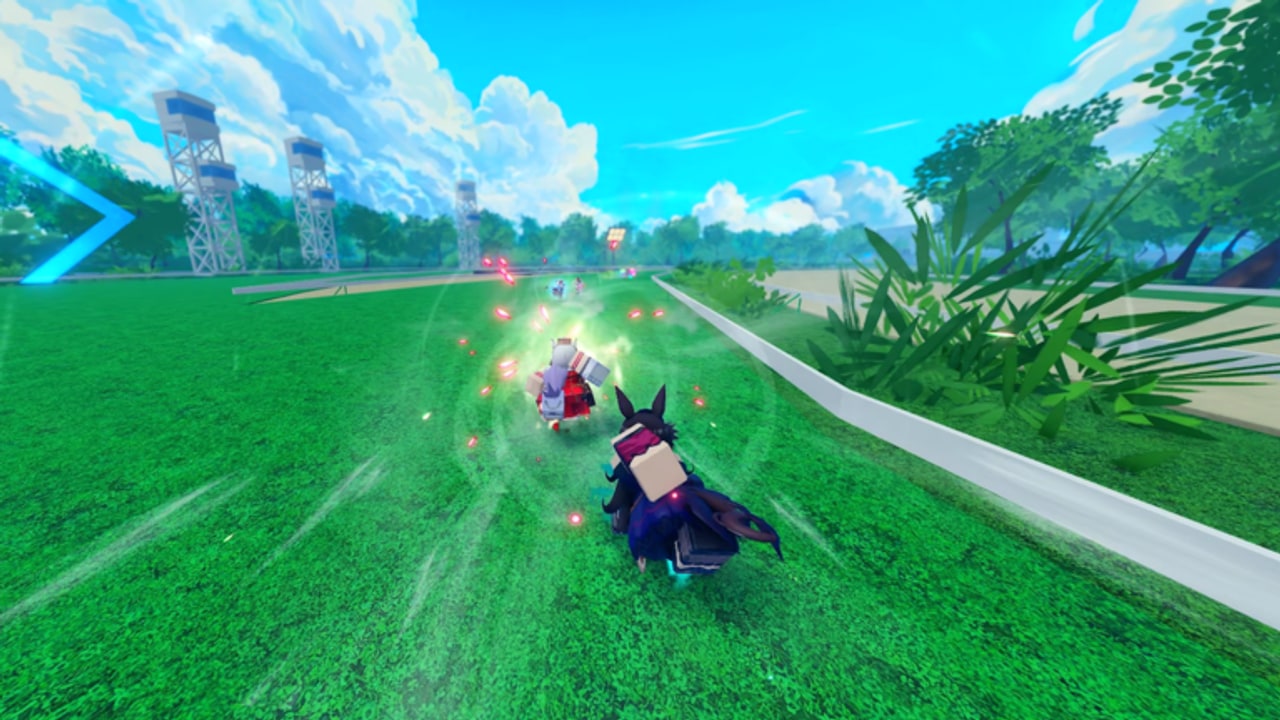
Welcome to UMA DASH, the fast anime racing Roblox experience from Krampus Studios. The live title often reads [UPD 1.5] UMA DASH during public beta. You will equip Uma characters, collect perks, assemble builds, trigger abilities and ultimates, prestige for long-term power, and chase leaderboards — sometimes unlocking hidden alternate forms when you prestige with the right Uma.
This guide is the day-one path. Follow it in order and you will avoid the three classic beta mistakes: skipping the group, ignoring codes, and blowing Prestige Carats before you understand prestige. When you need deeper systems later, branch to Controls, How to Prestige, Perks and Builds, How to Win, the Tier List, and the Codes Hub.
UMA DASH is not the older Uma Racing game. Favorites, Discord servers, and code lists for Uma Racing belong to a different project.
Step 1 — Join Krampus Studios and launch the right place
- On Roblox, join the Krampus Studios group.
- Open the official place: UMA DASH.
- Pick Mobile, PC, or Console — all three are supported.
- Favorites and follows help you track Updates, but the group join is the reward-critical step for codes.
Typical servers hold about fifteen players. Expect lively lobbies during peak hours (roughly a couple thousand concurrent players game-wide in recent beta snapshots). If a server feels laggy, hop once before you judge the game.
Step 2 — Finish the tutorial without rushing past systems
The tutorial is a gate, not optional flavor. It introduces racing flow and unlocks the Codes section inside Settings. Complete every prompt. If you Alt+F4 mid-tutorial, relaunch and finish before you farm or redeem.
While you play the intro races, notice:
- How your Uma accelerates and recovers.
- When ability prompts appear.
- Where the top-left Settings cogwheel lives — you will need it immediately after.
For input details across platforms, keep Controls open in a browser tab.
Step 3 — Redeem every active code
As soon as the tutorial ends:
- Open Settings (cogwheel, top-left).
- Find Codes.
- Paste strings exactly from the Codes Hub — including capital letters and
!marks. - Press Enter and confirm rewards.
Priority packs in the November 2026 list include ThankYouAll!, TY1500LIKES!, BetaRelease!, and HARIKITTEIKOU! (the last one grants a Mirror Fragment). Full tables, expired archives, and currency explainers live on the hub; troubleshooting lives on How to Redeem Codes.
Currencies you should recognize immediately:
- Gold — Everyday upgrades and purchases.
- Prestige Carats — Prestige unlock fuel; do not impulse-spend.
- Prestige Spins — Pulls tied to prestige / Uma progression.
- Color Rerolls — Looks; fun but lower competitive priority.
- Mirror Fragment — Rare; bank it.
Step 4 — Play your first real races with a simple plan
Public beta races punish panic more than low stats. For your first dozen matches:
- Pick a comfortable Uma and stick with it long enough to learn dash timing and ability cadence.
- Spend the early race building position instead of dumping every cooldown at the start.
- Save awareness for the final stretch — ultimates near the finish decide many packs. Details in How to Win.
- After each race, note whether you lost to raw speed, bad perk timing, or simply mistimed the ultimate.
You do not need a perfect Tier List pick on hour one, but skimming tiers helps you avoid investing heavy Gold into a novelty pick you will abandon tomorrow.
Step 5 — Spend early Gold deliberately
Codes can dump thousands of Gold into a fresh account (TY1500LIKES! alone lists 20,000 Gold). That abundance is dangerous.
Do:
- Unlock perk options that clearly improve race consistency.
- Fund one coherent build theme instead of random one-off purchases.
- Leave a buffer for hotfix-driven shifts after reading Updates.
Don’t:
- Blow the entire bank on cosmetics before perks.
- Prestige the moment Carats appear without reading How to Prestige.
- Chase every Color Reroll before you can finish mid-pack reliably.
Deeper spending theory lives in Perks and Builds. Historical code names like the expired PerkCrafting! are a reminder that crafting/perk systems are central to long-term power — respect them early.
Step 6 — Meet prestige before you press the button
Prestige is part of the core loop, not an endgame-only toggle. Prestige Carats and Prestige Spins from codes exist so you can engage the system, but timing matters. Prestiging with the right Uma may reveal hidden alternate forms — another reason to choose carefully and check the Tier List plus the prestige guide before you commit.
If you are still learning basic race pacing, delay your first prestige until you finish this checklist and two or three clean races where you used abilities on purpose.
Step 7 — Build a session routine
A healthy UMA DASH session in beta looks like:
- Check Discord / Updates for new codes or hotfixes.
- Redeem anything new via Codes.
- Warm up one race focusing on controls.
- Play a block of races testing one perk change at a time.
- Review whether Carats/Spins should wait or fuel a planned prestige.
- Stop while you are still learning — tilt farming teaches bad dash habits.
Platform comfort tips
- PC — Easiest for precise Settings navigation and paste-redeem.
- Mobile — Watch auto-correct when typing codes; practice ability buttons before ranked mental stacks.
- Console — Confirm text entry for codes; learn which face buttons map to abilities inside Settings.
Wherever you play, open in-game Settings to verify your actual bindings. This wiki will not invent unverified key tables for UMA DASH.
First-hour checklist
- Joined Krampus Studios
- Launched the correct UMA DASH place
- Tutorial completed
- All active codes redeemed
- Know what Gold / Carats / Spins / Rerolls / Mirror Fragments are
- Played several races without dumping every cooldown instantly
- Skimmed Controls and Tier List
- Bookmarked How to Prestige before spending Carats
- Read Perks and Builds before major Gold sinks
Clear that list and you are past onboarding. Everything after is refinement: sharper ultimates, smarter prestige timing, and builds that match how you actually race.
Where to go next
- Still failing codes? → How to Redeem Codes
- Inputs feel mushy? → Controls
- Ready for long-term power? → How to Prestige
- Want podiums? → How to Win
- Inventory full of perk choices? → Perks and Builds
The Guides Hub keeps the full map updated as new articles land.
Frequently Asked Questions
Quick answers for UMA DASH racers.
What should I do first in UMA DASH?
Join the Krampus Studios group, finish the tutorial, redeem codes from the Codes Hub, then play a few races before spending Prestige Carats.
Is UMA DASH the same as Uma Racing?
No. UMA DASH is a separate Krampus Studios Roblox game in public beta. Do not use Uma Racing codes or guides interchangeably.
Should beginners prestige immediately?
Not until you understand Carats, Spins, and Uma choice. Read How to Prestige and skim the Tier List first — the right Uma may unlock alternate forms.
What do I spend Gold on early?
Prioritize perk and build upgrades that improve consistency. Avoid emptying your code bankroll on cosmetics before you can race cleanly.
Does UMA DASH work on phone and console?
Yes. Mobile, PC, and Console are supported. Confirm your bindings in Settings and see the Controls guide for practice tips.